
Best Business Laptops Under 1700 in 2026: 4 Picks by Specs
This guide names the Lenovo V-Series business laptop as the top pick among business laptops priced under $1700: its listing states 64GB of RAM and 4TB of storage, the most of either in this list, in a 1.37kg 14-inch body. The four laptops below are compared on the specifications each listing states and on their live prices, with no guesswork about features the catalogue does not cover.
4 picks from 5 laptops that match this guide with a price we can quote today. Every price below is live and carries the moment it was read.
The picks at a glance
| # | Pick | Laptop | Price |
|---|---|---|---|
| 1 | 64GB RAM and 4TB storage in a 1.37kg body | Lenovo New Gen V-Series Business Laptop | $1,699.99 price as of 2026-10-10 08:22 UTC (Details) |
| 2 | 32GB RAM, 1TB SSD and a touch screen | Lenovo 2024 Laptop | $1,639.00 price as of 2026-10-10 08:22 UTC (Details) |
| 3 | 32GB RAM and 1TB in a 14-inch ThinkPad | Lenovo Copilot+ PC ThinkPad P14s Gen 6 Mobile Workstation | $1,679.00 price as of 2026-10-10 08:22 UTC (Details) |
| 4 | Touch screen with stated Radeon 860M graphics | HP ZBook 8 G1ak Laptop | $1,699.99 price as of 2026-10-10 08:22 UTC (Details) |
Which one should you buy?
- For an owner who sets up a small office: A small office keeps shared files, mail archives and project folders on one machine; the 64GB of RAM and 4TB of storage this listing states leave room for all of it. See pick 1
- For a consultant who travels every week: At 1.38kg with a stated touch screen, this 14-inch ThinkPad is light enough for a bag between meetings. See pick 2
- For an accountant with wide spreadsheets: A touch screen lets a finger zoom across columns, and the 32GB of RAM with 1TB of storage in this listing keeps many sheets open at once. See pick 4
- For someone who works from a spare room: A fixed desk means the 1.39kg weight is a convenience rather than a necessity; this ThinkPad states 32GB of RAM and 1TB of storage for documents and archives. See pick 3
The 4 picks
1 64GB RAM and 4TB storage in a 1.37kg body
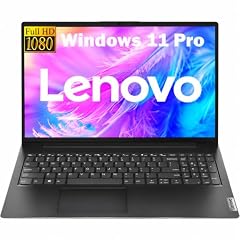
Lenovo New Gen V-Series Business Laptop
- CPU
- Intel Core 7 240H
- RAM
- 64 GB
- Storage
- 4000 GB
- Screen
- 14 in
- Weight
- 1.37 kg
- Battery
- 47 Wh
- OS
- Windows 11 Pro
$1,699.99 price as of 2026-10-10 08:22 UTC (Details)
This V-Series places first because the ordering rule starts with RAM: 64GB is the most stated here, and its 4TB drive is the largest of the four. It also carries the lowest stated weight, 1.37kg, so it leads on each step of the rule.
Pros
- Most RAM in this list: 64GB
- Largest storage here: 4TB
- Lightest of the four at 1.37kg
- States Windows 11 Pro
Cons
- Listing does not state a touch screen
- No graphics card stated
Good fit if
- For an owner who keeps many documents, tabs and mail archives open at once
- For someone who wants the largest local drive in this price band
Skip if
- A touch screen is a must
- A stated graphics card matters
Verdict: A 14-inch laptop whose listing leads this list on RAM, storage and weight.
2 32GB RAM, 1TB SSD and a touch screen

Lenovo 2024 Laptop
- CPU
- Intel Core Ultra 7 155U
- RAM
- 32 GB
- Storage
- 1000 GB
- Screen
- 14 in
- Touchscreen
- Yes
- Weight
- 1.38 kg
- Battery
- 52.5 Wh
- OS
- Windows 11 Pro
$1,639.00 price as of 2026-10-10 08:22 UTC (Details)
With 32GB of RAM and 1TB of storage this ThinkPad ties two neighbors on RAM and storage, and its stated 1.38kg weight puts it ahead of them in the weight step of the ordering rule.
Pros
- 32GB of RAM
- 1TB of storage
- States a touch screen
- 1.38kg, the second lightest here
Cons
- No graphics card stated
- Less RAM than the top pick's 64GB
Good fit if
- For a consultant who travels and wants a touch screen on a 14-inch laptop
- For someone who opens many browser tabs beside a spreadsheet
Skip if
- More than 32GB of RAM is required
- A stated graphics card is needed
Verdict: A 14-inch ThinkPad that balances RAM, storage and a light stated weight.
3 32GB RAM and 1TB in a 14-inch ThinkPad
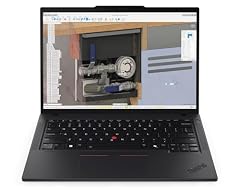
Lenovo Copilot+ PC ThinkPad P14s Gen 6 Mobile Workstation
- CPU
- AMD Ryzen AI 7 PRO 350
- RAM
- 32 GB
- Storage
- 1000 GB
- Screen
- 14 in
- Touchscreen
- No
- Weight
- 1.39 kg
- OS
- Windows 11 Pro
$1,679.00 price as of 2026-10-10 08:22 UTC (Details)
This ThinkPad P14s Gen 6 matches the 32GB RAM and 1TB storage of its two rivals, but its stated 1.39kg weight places it below the 1.38kg T14 in the weight step.
Pros
- 32GB of RAM
- 1TB of storage
- 1.39kg, a light stated weight
- 14-inch screen for a compact footprint
Cons
- No touch screen stated
- No graphics card stated
Good fit if
- For a worker who wants a light 14-inch ThinkPad for office and travel
- For someone who does not need a touch screen
Skip if
- A touch screen is essential
- A graphics card must be named in the listing
Verdict: A 32GB and 1TB ThinkPad that ranks by weight among the 32GB picks.
4 Touch screen with stated Radeon 860M graphics

HP ZBook 8 G1ak Laptop
- CPU
- AMD Ryzen AI 7 PRO 350
- GPU
- Radeon 860M
- RAM
- 32 GB
- Storage
- 1000 GB
- Screen
- 14 in
- Touchscreen
- Yes
- Weight
- 1.44 kg
- OS
- Windows 11 Pro
$1,699.99 price as of 2026-10-10 08:22 UTC (Details)
The ZBook ties the others at 32GB RAM and 1TB storage, but its stated 1.44kg weight is the highest of the four, so it closes the list under the weight step of the ordering rule.
Pros
- 32GB of RAM and 1TB of storage
- States a 14-inch touch screen
- Listing names a Radeon 860M graphics card
- Windows 11 Pro stated
Cons
- Heaviest in this list at 1.44kg
- Greater weight than the other 14-inch picks
Good fit if
- For a worker who wants a touch screen and a stated graphics card
- For desk-based work where the 1.44kg weight does not matter
Skip if
- The lightest laptop here is wanted
- A touch screen is not required
Verdict: A 14-inch touch-screen laptop that stands out for its stated graphics card.
Side by side
| # | Laptop | CPU | GPU | GPU memory | Rentable GPU model | RAM | Storage |
|---|---|---|---|---|---|---|---|
| 1 | Lenovo New Gen V-Series Business Laptop | Intel Core 7 240H | not stated | not stated | not stated | 64 GB | 4000 GB |
| 2 | Lenovo 2024 Laptop | Intel Core Ultra 7 155U | not stated | not stated | not stated | 32 GB | 1000 GB |
| 3 | Lenovo Copilot+ PC ThinkPad P14s Gen 6 Mobile Workstation | AMD Ryzen AI 7 PRO 350 | not stated | not stated | not stated | 32 GB | 1000 GB |
| 4 | HP ZBook 8 G1ak Laptop | AMD Ryzen AI 7 PRO 350 | Radeon 860M | not stated | not stated | 32 GB | 1000 GB |
How we picked
The shortlist began with a pool of 4 listings that matched the guide's rule: a Windows 11 Pro operating system, a weight of 2.2kg or less, at least 8GB of RAM, and a price within the guide's stated window. Every matching listing is kept, so 4 laptops are compared. Each pick is reviewed on the specifications its listing states, including RAM, storage, screen size, weight, touch screen and, where stated, graphics, alongside its live price. The picks are ordered by stated RAM (most first), then by stated storage, then by lower weight; the 64GB V-Series leads, then the three 32GB picks in weight order. The catalogue does not state battery life, keyboard or display quality, security features or warranty terms, and this guide does not guess at them.
How to choose
What the price window covers
The guide's rule takes listings priced within the stated window that state Windows 11 Pro, a weight of 2.2kg or less, and at least 8GB of RAM. All four picks match that window and those stated specs. Nothing here is priced outside the band, and no laptop was added by guess; the list is exactly the pool that matched.
RAM when documents, tabs and a call stay open
Three picks state 32GB of RAM and one states 64GB. Either amount leaves room for many documents, spreadsheets and browser tabs to stay open together, and for a video call alongside them. The advice is direction, not a requirement: no listing in this pool says how much memory any particular program needs.
Screen size, weight and the bag
All four picks are 14-inch laptops, so screen choice is uniform; a 14-inch screen shows a good width of a spreadsheet while staying easy to pack. Stated weights run from 1.37kg to 1.44kg. A lighter laptop is easier to carry between a desk, a meeting room and a trip; the difference is small but the stated figures let each buyer decide.
Storage for files and archives
Three listings state 1TB of storage and one states 4TB. For files, mail archives and project folders, 1TB is a large stated amount, and 4TB is the largest in this list. Storage is advice only; the listing does not say what any file type occupies.
What this guide leaves out (and why)
The catalogue does not state battery life in hours, keyboard or display quality, build quality, security features, or warranty terms. This guide compares only what each listing states: operating system, RAM, storage, screen size, weight, touch screen and, where stated, graphics. Buyers should read the full listing for any feature outside those.
Questions
Why does this guide stop at the stated ceiling?
The guide's rule covers listings priced within a specific window, which is the range behind the keyword 'under 1700'. Every pick in the list matches that price range plus the stated Windows 11 Pro, weight and RAM rules. Buyers looking below that range will find other guides on the site.
Does this guide cover battery life, security features or warranty terms?
No. The catalogue data has no entries for battery life in hours, keyboard or display quality, security features, or warranty terms. This guide compares only what each listing states: operating system, RAM, storage, screen size, weight, touch screen and, where stated, graphics. Buyers should read the full listing for anything beyond those.
How are the picks ordered?
By stated RAM first (most first), then by stated storage, then by lower weight, with ties broken by the order in the pool. The 64GB V-Series leads, then the three 32GB picks in weight order. Live prices print on the page but never decide the ranking.
Are touch screens important for business use?
Two of the four picks state a touch screen: the ThinkPad T14 Gen 5 and the HP ZBook. A touch screen can be useful for quick gestures over a spreadsheet, but it is a stated feature, not a measured advantage. The other two picks do not state one, so the choice depends on preference.
What does a stated graphics card add?
One pick, the HP ZBook, names a Radeon 860M in its listing. The pool does not state how it behaves in any workload, so this guide only reports that it is named. Buyers who need a stated graphics card should look at that pick; the rest do not name one.
Recent updates
- : First published.