
Best Business Laptops for Remote Work in 2026: 14 Picks by Specs
The Lenovo New Gen V-Series leads this guide to business laptops for remote work. It is the only pick here with a 4TB SSD, its 64GB of RAM sits at the top of the list, and its 14-inch screen weighs 1.37kg. The remaining 13 picks are compared on the specifications stated in each listing and on live prices, under the rule that every pick states Windows 11 Pro, at least 16GB of RAM, at least 1TB of storage and a screen of 14 to 16.2 inches.
14 picks from 51 laptops that match this guide with a price we can quote today. Every price below is live and carries the moment it was read.
The picks at a glance
Which one should you buy?
- For someone who works from a spare room at home: A fixed desk leaves room for a 16-inch screen, and the 4TB of storage on this ProBook holds years of remote-work files. See pick 10
- For a consultant who moves between home office and client sites: At 1.29kg with 64GB of RAM and a stated touch screen, this 14-inch ThinkPad moves easily between a desk and a meeting table. See pick 2
- For an accountant with wide spreadsheets: A 16-inch touch screen at 1.6kg with 32GB of RAM shows wide spreadsheets with room for a call alongside. See pick 12
- For an owner setting up a small home office on one laptop: A light 14-inch ThinkPad with 32GB of RAM covers documents, mail and calls in one machine that fits a desk or a shelf. See pick 14
The 14 picks
1 Most storage here, 4TB with 64GB of RAM
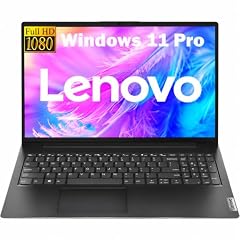
Lenovo New Gen V-Series Business Laptop
- CPU
- Intel Core 7 240H
- RAM
- 64 GB
- Storage
- 4000 GB
- Screen
- 14 in
- Weight
- 1.37 kg
- Battery
- 47 Wh
- OS
- Windows 11 Pro
$1,699.99 price as of 2026-10-10 08:22 UTC (Details)
It ranks first because it has the most storage in this guide: 4TB with 64GB of RAM, ahead of every other 64GB pick. Its 14-inch screen and 1.37kg weight keep it practical for a desk that is also a bag.
Pros
- 64GB of RAM, the top tier in this guide
- 4TB of storage, the most in this list
- 14-inch screen at 1.37kg
- Windows 11 Pro stated
Cons
- Touch screen not stated
- The catalogue does not state battery, security or warranty details
Good fit if
- For an owner who keeps years of files on one machine
- For a worker who wants the top RAM and the most storage in one pick
Skip if
- For anyone who wants a stated touch screen
- For a laptop that will stay mostly at a desk, where a 16-inch screen shows more
Verdict: The New Gen V-Series is the most loaded pick in this guide on RAM and storage.
2 Lightest pick here at 1.29kg

Lenovo ThinkPad P14s Gen 7 AMD Ryzen AI 9 PRO 470
- CPU
- AMD Ryzen AI 9 PRO 470
- GPU
- Radeon 890M
- RAM
- 64 GB
- Storage
- 2000 GB
- Screen
- 14 in
- Refresh
- 60 Hz
- Weight
- 1.29 kg
- OS
- Windows 11 Pro
$3,199.00 price as of 2026-10-10 08:22 UTC (Details)
It ranks second by matching the top pick on 64GB of RAM and offering 2TB of storage, then winning on weight: at 1.29kg it is the lightest laptop in the list. The 14-inch screen keeps it below the 14.5-inch and 16-inch picks in size.
Pros
- 64GB of RAM
- 2TB of storage
- 1.29kg, the lightest in this list
- The listing states a touch screen and a Radeon 890M
Cons
- 14-inch screen, the smallest size here
- 2TB below the top pick's 4TB
Good fit if
- For a consultant who moves between home and client sites
- For someone who wants 64GB of RAM at the lowest weight in this list
Skip if
- For those who need 4TB of storage
- For a fixed desk where a 16-inch screen suits better
Verdict: The P14s Gen 7 is the lightest way to get 64GB of RAM here.
3 64GB RAM, 2TB SSD, 14.5-inch screen

Lenovo ThinkPad P14s Gen 6 Intel Core Ultra 9 285H
- CPU
- Intel Core Ultra 9 285H
- RAM
- 64 GB
- Storage
- 2000 GB
- Screen
- 14.5 in
- Refresh
- 60 Hz
- Touchscreen
- No
- Weight
- 1.31 kg
- OS
- Windows 11 Pro
$2,899.00 price as of 2026-10-10 08:22 UTC (Details)
It ranks third with the same 64GB of RAM and 2TB of storage as the pick before it, at 1.31kg just behind. Its 14.5-inch screen sits between the 14-inch and 16-inch models in this guide.
Pros
- 64GB of RAM
- 2TB of storage
- 14.5-inch screen
- 1.31kg, close to the lightest
Cons
- Touch screen not stated
- 2TB below the top pick's 4TB
Good fit if
- For a worker who wants a screen between 14 and 16 inches
- For someone who wants 64GB and 2TB without a stated touch screen
Skip if
- For touch-screen use, which this listing does not state
- For those who want the lightest 64GB pick
Verdict: A 14.5-inch 64GB pick that sits close to the lightest machine in the list.
4 ThinkPad T14 with 64GB RAM and 2TB
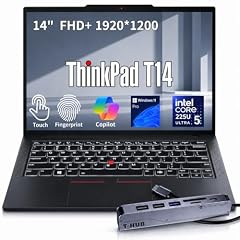
Lenovo ThinkPad T14 Business AI Laptop
- CPU
- Intel Core Ultra 5 225U
- RAM
- 64 GB
- Storage
- 2000 GB
- Screen
- 14 in
- Touchscreen
- Yes
- Weight
- 1.46 kg
- OS
- Windows 11 Pro
$2,149.00 price as of 2026-10-10 08:23 UTC (Details)
It ranks fourth on the same 64GB and 2TB as its three predecessors, at 1.46kg a step heavier. Its stated touch screen is the difference from the two lighter 64GB picks.
Pros
- 64GB of RAM
- 2TB of storage
- The listing states a touch screen
- ThinkPad T14 at 1.46kg
Cons
- Heavier than the two 1.3kg 64GB picks
- 14-inch screen is the smallest size in this guide
Good fit if
- For a ThinkPad user who wants a stated touch screen
- For long sessions with documents, tabs and a call open
Skip if
- For the lightest 64GB machine, which sits above it
- For those who want more than 2TB of storage
Verdict: A 64GB ThinkPad with a stated touch screen at a middle weight.
5 64GB RAM on a 15.6-inch screen

Lenovo ThinkPad P15 Mobile Workstation
- CPU
- Intel Core i7-11850H
- GPU
- RTX A2000
- GPU memory
- 4 GB
- RAM
- 64 GB
- Storage
- 2000 GB
- Screen
- 15.6 in
- Weight
- 1.81 kg
- OS
- Windows 11 Pro
$2,999.00 price as of 2026-10-10 08:22 UTC (Details)
It ranks fifth because, with 64GB and 2TB, its 15.6-inch screen is larger than the 14-inch picks above it, at 1.81kg. The listing also states an RTX A2000 with 4GB.
Pros
- 64GB of RAM
- 2TB of storage
- 15.6-inch screen
- The listing states an RTX A2000 with 4GB
Cons
- Heavier than the 14-inch 64GB picks
- Touch screen not stated
Good fit if
- For a home-desk worker who wants a 15.6-inch screen with 64GB
- For file-heavy remote work on a larger screen
Skip if
- For frequent bag travel, where the 1.29kg pick wins
- For a stated touch screen
Verdict: The largest screen among the 64GB picks, at a higher weight.
6 64GB RAM with a stated RTX PRO 1000

HP ZBook X G1i Laptop
- CPU
- Intel Core Ultra 7 265H
- GPU
- RTX PRO 1000
- GPU memory
- 8 GB
- RAM
- 64 GB
- Storage
- 2000 GB
- Screen
- 16 in
- Weight
- 2.04 kg
- Battery
- 83 Wh
$5,099.00 price as of 2026-10-10 08:22 UTC (Details)
It ranks sixth as one of the 16-inch 64GB picks; at 2.04kg it sits near the heaviest end of the list. The listing states an RTX PRO 1000 with 8GB.
Pros
- 64GB of RAM
- 2TB of storage
- 16-inch screen
- The listing states an RTX PRO 1000 with 8GB
Cons
- 2.04kg, near the heaviest in this list
- Touch screen not stated
Good fit if
- For a worker who wants 16 inches, 64GB and a stated RTX PRO 1000
- For a desk that can hold a heavy laptop
Skip if
- For movement between rooms or trips
- For those who want a lighter pick at the same RAM
Verdict: A 16-inch 64GB workstation with a stated RTX PRO 1000.
7 64GB RAM, 2TB, 16-inch screen
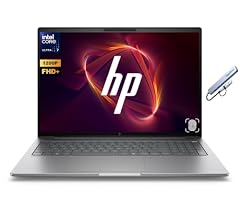
HP ZBook 8 G1i 16" WUXGA AI Mobile Workstation
- CPU
- Intel Core Ultra 7 255H
- RAM
- 64 GB
- Storage
- 2000 GB
- Screen
- 16 in
- Weight
- 2.09 kg
- OS
- Windows 11 Pro
$2,997.99 price as of 2026-10-10 08:22 UTC (Details)
It ranks seventh on 64GB and 2TB, at 2.09kg the heaviest laptop in this guide. The listing names an RTX 500 Ada, which separates it from the 16-inch pick above it.
Pros
- 64GB of RAM
- 2TB of storage
- 16-inch screen
- The listing names an RTX 500 Ada
Cons
- 2.09kg, the heaviest pick here
- Touch screen not stated
Good fit if
- For a fixed home office with room for a heavy laptop
- For someone who wants the top RAM on a large screen
Skip if
- For anyone who moves the laptop weekly
- For a stated touch screen
Verdict: The heaviest pick here, for a desk that never moves.
8 64GB RAM on a 16-inch OLED touch screen

HP OmniBook 7 16" 2K OLED Touchscreen Laptop
- CPU
- Intel Core 9 270H
- RAM
- 64 GB
- Storage
- 1000 GB
- Screen
- 16 in
- Refresh
- 120 Hz
- Touchscreen
- Yes
- Weight
- 1.92 kg
- OS
- Windows 11 Pro
$2,079.99 price as of 2026-10-10 08:22 UTC (Details)
It ranks eighth because its 1TB of storage is the smallest among the 64GB picks, placing it after the 2TB machines. At 1.92kg it is a heavy 16-inch laptop, and the listing states an OLED touch screen.
Pros
- 64GB of RAM
- 16-inch screen
- The listing states an OLED touch screen
- Windows 11 Pro stated
Cons
- 1TB of storage, the smallest among the 64GB picks
- 1.92kg, heavy for a portable
Good fit if
- For a desk-based worker who wants a large OLED touch screen
- For slide decks and documents on a 16-inch display
Skip if
- For those who need more than 1TB of storage
- For frequent travel, given the weight
Verdict: 64GB with a stated OLED touch screen on a large 16-inch frame.
9 48GB of RAM with 2TB of storage
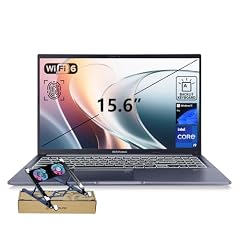
ASUS Vivobook 15 Laptop
- CPU
- Intel Core i9-13900H
- RAM
- 48 GB
- Storage
- 2000 GB
- Screen
- 15.6 in
- Touchscreen
- No
- Weight
- 1.7 kg
- OS
- Windows 11 Pro
$1,349.00 price as of 2026-10-10 08:21 UTC (Details)
It ranks ninth with 48GB of RAM, a tier between the 64GB and 32GB machines, and 2TB of storage. Its 15.6-inch screen at 1.7kg puts it ahead of the 32GB tier.
Pros
- 48GB of RAM, above every 32GB pick
- 2TB of storage
- 15.6-inch screen at 1.7kg
- Windows 11 Pro stated
Cons
- Touch screen not stated
- RAM below the 64GB tier
Good fit if
- For a remote worker who wants more than 32GB without the top tier
- For a 15.6-inch screen at a middle weight
Skip if
- For those who want the 64GB tier
- For a stated touch screen
Verdict: A 15.6-inch pick that splits the gap between the 64GB and 32GB tiers.
10 32GB of RAM and a 4TB SSD
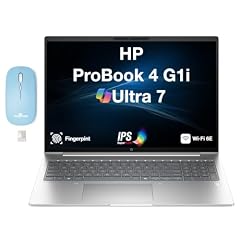
HP ProBook 4 G1i AI Business Laptop 16.0" 60Hz IPS WUXGA
- CPU
- Intel Core Ultra 7
- RAM
- 32 GB
- Storage
- 4000 GB
- Screen
- 16 in
- Refresh
- 60 Hz
- Weight
- 1.72 kg
- Battery
- 56 Wh
- OS
- Windows 11 Pro
$2,317.99 price as of 2026-10-10 08:22 UTC (Details)
It ranks tenth as the first of the 32GB picks, but its 4TB of storage ties the top pick and leads every other 32GB machine. A 16-inch screen at 1.72kg makes it a desk machine.
Pros
- 32GB of RAM
- 4TB of storage, tied with the top pick
- 16-inch screen at 1.72kg
- Windows 11 Pro stated
Cons
- RAM below the 64GB tier
- Touch screen not stated
Good fit if
- For a worker who stores large archives and project folders
- For a desk-based remote office on one machine
Skip if
- For those who need more than 32GB of RAM
- For a stated touch screen
Verdict: The 32GB pick with the most storage, on a 16-inch screen.
11 32GB RAM and 2TB at 1.5kg

HP 2025 Laptop
- CPU
- Intel Core i7-1355U
- RAM
- 32 GB
- Storage
- 2000 GB
- Screen
- 15.6 in
- Weight
- 1.5 kg
- Battery
- 41 Wh
- OS
- Windows 11 Pro
$1,179.00 price as of 2026-10-10 08:21 UTC (Details)
It ranks eleventh among the 32GB picks because its 2TB of storage sits above the 1TB models, and at 1.5kg it is lighter than the other 2TB 32GB machines.
Pros
- 32GB of RAM
- 2TB of storage
- 15.6-inch screen at 1.5kg
- Windows 11 Pro stated
Cons
- Touch screen not stated
- RAM and storage both below the top tiers
Good fit if
- For a worker who wants a 15.6-inch screen without a heavy bag
- For documents, spreadsheets and a call at once
Skip if
- For a touch screen, which this listing does not state
- For more than 2TB of storage or 32GB of RAM
Verdict: A light 15.6-inch pick with 32GB and 2TB.
12 32GB with a stated Radeon 880M and 2TB

Acer Swift Go 16 16" WUXGA Touchscreen Laptop
- CPU
- AMD Ryzen AI 9 465
- GPU
- Radeon 880M
- RAM
- 32 GB
- Storage
- 2000 GB
- Screen
- 16 in
- Touchscreen
- Yes
- Weight
- 1.6 kg
- OS
- Windows 11 Pro
$1,489.00 price as of 2026-10-10 08:20 UTC (Details)
It ranks twelfth on 32GB and 2TB; at 1.6kg it follows the 15.6-inch 2TB pick on weight. A 16-inch touch screen and a stated Radeon 880M distinguish it.
Pros
- 32GB of RAM
- 2TB of storage
- 16-inch screen at 1.6kg
- The listing states a touch screen and a Radeon 880M
Cons
- Heavier than the 15.6-inch 2TB pick above
- RAM below the top tier
Good fit if
- For a worker who wants a 16-inch touch screen with 2TB
- For side-by-side windows at a home desk
Skip if
- For the lightest 2TB machine
- For those who need more than 32GB RAM
Verdict: A 16-inch touch pick with 32GB and 2TB at a middle weight.
13 32GB and 2TB in a 16-inch ProBook
HP ProBook 4 G1i AI Business Laptop 16.0" 60Hz IPS WUXGA
- CPU
- Intel Core Ultra 7
- RAM
- 32 GB
- Storage
- 2000 GB
- Screen
- 16 in
- Refresh
- 60 Hz
- Weight
- 1.72 kg
- Battery
- 56 Wh
- OS
- Windows 11 Pro
$1,967.99 price as of 2026-10-10 08:22 UTC (Details)
It ranks thirteenth with 32GB and 2TB at 1.72kg, just after the Acer above on weight. It is a second 16-inch ProBook in the list, without a stated touch screen.
Pros
- 32GB of RAM
- 2TB of storage
- 16-inch screen
- Windows 11 Pro stated
Cons
- Heavier than the Acer above
- Touch screen not stated
Good fit if
- For a worker at a fixed remote desk who wants 16 inches and 2TB
- For a second machine for a home office
Skip if
- For a stated touch screen
- For the lightest 2TB machine
Verdict: A 16-inch 32GB pick with 2TB at a similar weight to the Acer above.
14 Light 14-inch ThinkPad with 32GB RAM
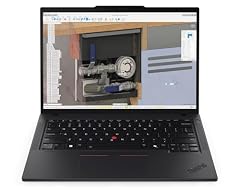
Lenovo Copilot+ PC ThinkPad P14s Gen 6 Mobile Workstation
- CPU
- AMD Ryzen AI 7 PRO 350
- RAM
- 32 GB
- Storage
- 1000 GB
- Screen
- 14 in
- Touchscreen
- No
- Weight
- 1.39 kg
- OS
- Windows 11 Pro
$1,679.00 price as of 2026-10-10 08:22 UTC (Details)
It ranks fourteenth because its 1TB of storage places it after the 2TB 32GB picks, though at 1.39kg it is one of the lightest 14-inch machines here. It rounds out the guide as the entry point to the 32GB tier.
Pros
- 32GB of RAM
- 14-inch screen at 1.39kg
- ThinkPad P14s
- Windows 11 Pro stated
Cons
- 1TB of storage, the smallest in the 32GB tier
- Touch screen not stated
Good fit if
- For a consultant who wants a light 14-inch with 32GB
- For daily documents, mail and calls in one machine
Skip if
- For those who need 2TB or 4TB of storage
- For a stated touch screen
Verdict: The lightest entry into the 32GB tier, on a 14-inch ThinkPad.
Side by side
| # | Laptop | CPU | GPU | GPU memory | Rentable GPU model | RAM | Storage |
|---|---|---|---|---|---|---|---|
| 1 | Lenovo New Gen V-Series Business Laptop | Intel Core 7 240H | not stated | not stated | not stated | 64 GB | 4000 GB |
| 2 | Lenovo ThinkPad P14s Gen 7 AMD Ryzen AI 9 PRO 470 | AMD Ryzen AI 9 PRO 470 | Radeon 890M | not stated | not stated | 64 GB | 2000 GB |
| 3 | Lenovo ThinkPad P14s Gen 6 Intel Core Ultra 9 285H | Intel Core Ultra 9 285H | not stated | not stated | not stated | 64 GB | 2000 GB |
| 4 | Lenovo ThinkPad T14 Business AI Laptop | Intel Core Ultra 5 225U | not stated | not stated | not stated | 64 GB | 2000 GB |
| 5 | Lenovo ThinkPad P15 Mobile Workstation | Intel Core i7-11850H | RTX A2000 | 4 GB | not stated | 64 GB | 2000 GB |
| 6 | HP ZBook X G1i Laptop | Intel Core Ultra 7 265H | RTX PRO 1000 | 8 GB | not stated | 64 GB | 2000 GB |
| 7 | HP ZBook 8 G1i 16" WUXGA AI Mobile Workstation | Intel Core Ultra 7 255H | not stated | not stated | not stated | 64 GB | 2000 GB |
| 8 | HP OmniBook 7 16" 2K OLED Touchscreen Laptop | Intel Core 9 270H | not stated | not stated | not stated | 64 GB | 1000 GB |
| 9 | ASUS Vivobook 15 Laptop | Intel Core i9-13900H | not stated | not stated | not stated | 48 GB | 2000 GB |
| 10 | HP ProBook 4 G1i AI Business Laptop 16.0" 60Hz IPS WUXGA | Intel Core Ultra 7 | not stated | not stated | not stated | 32 GB | 4000 GB |
| 11 | HP 2025 Laptop | Intel Core i7-1355U | not stated | not stated | not stated | 32 GB | 2000 GB |
| 12 | Acer Swift Go 16 16" WUXGA Touchscreen Laptop | AMD Ryzen AI 9 465 | Radeon 880M | not stated | not stated | 32 GB | 2000 GB |
| 13 | HP ProBook 4 G1i AI Business Laptop 16.0" 60Hz IPS WUXGA | Intel Core Ultra 7 | not stated | not stated | not stated | 32 GB | 2000 GB |
| 14 | Lenovo Copilot+ PC ThinkPad P14s Gen 6 Mobile Workstation | AMD Ryzen AI 7 PRO 350 | not stated | not stated | not stated | 32 GB | 1000 GB |
How we picked
This guide starts from a pool of 39 priced listings that match the remote-work rule: Windows 11 Pro, 16GB of RAM or more, 1TB of storage or more, a 14 to 16.2 inch screen and a weight of 2.2kg or less. From that pool, 14 picks are ranked first by stated RAM (most first), then by stated storage, then by lower weight, with ties broken by the order the catalog lists them. Every pick is compared on the specifications stated in its listing and on its live price. The catalogue does not state battery life, security features or warranty terms, so this guide does not guess at them.
How to choose
What the Pro edition line on a listing tells you
All 14 picks state Windows 11 Pro. The operating system vendor's system requirements page lists the minimum hardware for Windows 11; every pick in this guide sits well above those minimums on memory and storage. The Pro edition line is part of each listing, and the vendor's edition page describes what the Pro edition offers in general terms. For a remote worker, the edition line matters mainly for setup and for which features the system includes.
RAM when documents, tabs and a call stay open
This guide's rule starts at 16GB of RAM. In the list, eight picks state 64GB, one states 48GB and five state 32GB. More RAM leaves room for many documents, spreadsheet tabs and a video call to stay open together. The catalogue does not say how much memory any program uses, so the choice comes down to headroom and budget.
Screen size, weight and the bag
Screens here run from 14 inches to 16 inches. The 14-inch picks weigh 1.29kg to 1.46kg, while the 15.6-inch and 16-inch picks weigh up to 2.09kg. A lighter machine is easier to move between a home desk, a meeting room and a trip; a larger screen shows more of a spreadsheet or two windows side by side. The right balance depends on whether the laptop stays at one desk.
Storage for files and archives
Every pick states at least 1TB of storage, and the list includes 2TB and 4TB models. Storage holds the working files, mail archives and project folders of a remote work year. The catalogue does not state how much any file type needs, so the choice is about how long files stay on the machine rather than a measured requirement.
What this guide leaves out (and why)
The catalogue states processor, memory, storage, screen size, weight and operating system, and a few listings add a graphics card. It does not state battery life in hours, charging speed, keyboard feel, display brightness in measurable terms, security features or warranty terms. This guide compares the specifications that are stated and the live prices; the buyer should read the full listing for anything the catalogue does not state.
Questions
Does this guide cover battery life, security features or warranty terms?
No. The catalogue states processor, memory, storage, screen size, weight and operating system, and a few listings add a graphics card. Battery life in hours, charging speed, security features and warranty terms are not in the catalogue, so this guide does not guess at them. A buyer who needs those details should read the full listing before deciding.
What does the Pro edition line on a listing tell a remote worker?
Every pick states Windows 11 Pro. The operating system vendor's requirements page lists the minimum system requirements for Windows 11, and the vendor's edition page describes the Pro edition in general terms. For a remote worker, the practical point is that all picks here use the Pro edition line; differences between editions are explained on the vendor page.
How much RAM is enough when documents, tabs and a call stay open?
This guide's rule starts at 16GB, and the picks spread between 32GB, 48GB and 64GB. Eight of the fourteen picks state 64GB of RAM. More RAM lets many documents, browser tabs and a video call stay open together, but the catalogue does not say how much any program uses, so the choice is a matter of headroom.
Why do some picks state a touch screen and others do not?
The guide reports only what each listing states. Where the seller names a touch screen, the pick says so; where the line is absent, the guide says the touch screen is not stated rather than guessing. A buyer who wants touch input should look for a pick whose listing names it.
Which pick suits a fixed home desk rather than a bag?
For a desk that stays in one room, the 16-inch picks with 64GB of RAM, such as the HP OmniBook at 1.92kg or the HP ZBook at 2.04kg, offer the largest screens in this guide. For movement between rooms or trips, the 14-inch picks at 1.29kg to 1.46kg are lighter.
What does the catalogue say about graphics?
Some listings name a graphics card. Among the picks, the catalog names a Radeon 880M, a Radeon 890M, an RTX A2000, an RTX PRO 1000 and an RTX 500 Ada; where no graphics card is stated, the guide leaves it out.
Recent updates
- : First published.